
Preparing a music library for a club set requires more than dragging audio files onto a thumb drive. If you have ever loaded a track on a Pioneer CDJ-3000 at 3:00 AM only to see a blank screen where the album art should be, an empty key field, or a fluctuating BPM counter, you know how disruptive metadata failures can be.
When you purchase or acquire tracks from electronic music platforms, the raw files do not always carry the standardized tags that DJ software needs for instant harmonic mixing. Rekordbox, Serato DJ Pro, and Native Instruments Traktor Pro each handle ID3 frames differently. Without proper pre-processing, your software must guess musical keys, re-analyze transient peaks, and build waveform overviews from scratch.
This guide breaks down the technical mechanics of ID3 tags, demonstrates how to automate library ingestion using beatport-downloader.com, and walks through software-specific configurations to keep your crates organized, harmonically tagged, and ready for the stage.
1. The Hidden Dangers of Missing ID3 Metadata During Live Sets
Live performance demands split-second decision-making. When you browse through hundreds of tracks on a standard 9-inch CDJ touchscreen or a laptop interface, your brain relies on visual anchors: recognizable cover art, steady tempo readings, and clear harmonic keys.
When audio files lack standardized ID3v2.3 or ID3v2.4 frames, three technical problems routinely occur:
Key Detection Discrepancies and Clashing Mixes
Pioneer Rekordbox, Serato DJ Pro, and Mixed In Key use distinct algorithms to calculate musical pitch. Rekordbox uses its own proprietary pitch-tracking engine, which often labels complex melodic techno or deep house tracks in standard musical notation (such as "Am" or "F#m") instead of the alphanumeric Camelot Wheel format (8A, 11A) favored by touring DJs. Even worse, Rekordbox often misinterprets modal shifts in modern electronic music, labeling an 8A track as 7B. When you mix two tracks based on inaccurate software-generated keys, you risk noticeable harmonic dissonance across high-output club systems.
Waveform Drift from Inaccurate BPM Headers
Raw audio files missing hard-coded TBPM ID3 frames force your DJ software to calculate tempo purely through transient analysis. If an intro features syncopated kick drums, polyrhythmic percussion, or ambient pads without a kick, the software analysis grid often offsets the beatgrid by a sixteenth note or halves the true BPM. Pre-tagging tracks with verified Beatport BPM metadata ensures the downbeat aligns with grid marker 1.1 on initial load.
Slow Browser Rendering on Standalone Media Players
Pioneer CDJ-2000NXS2 and CDJ-3000 players read library databases exported from Rekordbox. When artwork is uncompressed, corrupt, or embedded in an unsupported format (like progressive JPEG or oversized PNG), the CDJ processor stalls while decoding the image. This causes stuttering in the track browser, delayed waveform generation, and sluggish search responsiveness.
2. Automated Extraction and Tagging via Beatport Downloader
Manual tagging in software like Mp3tag or Kid3 takes hours of repetitive work. You have to look up release dates, search for catalog numbers, calculate Camelot keys, and manually paste cover art.
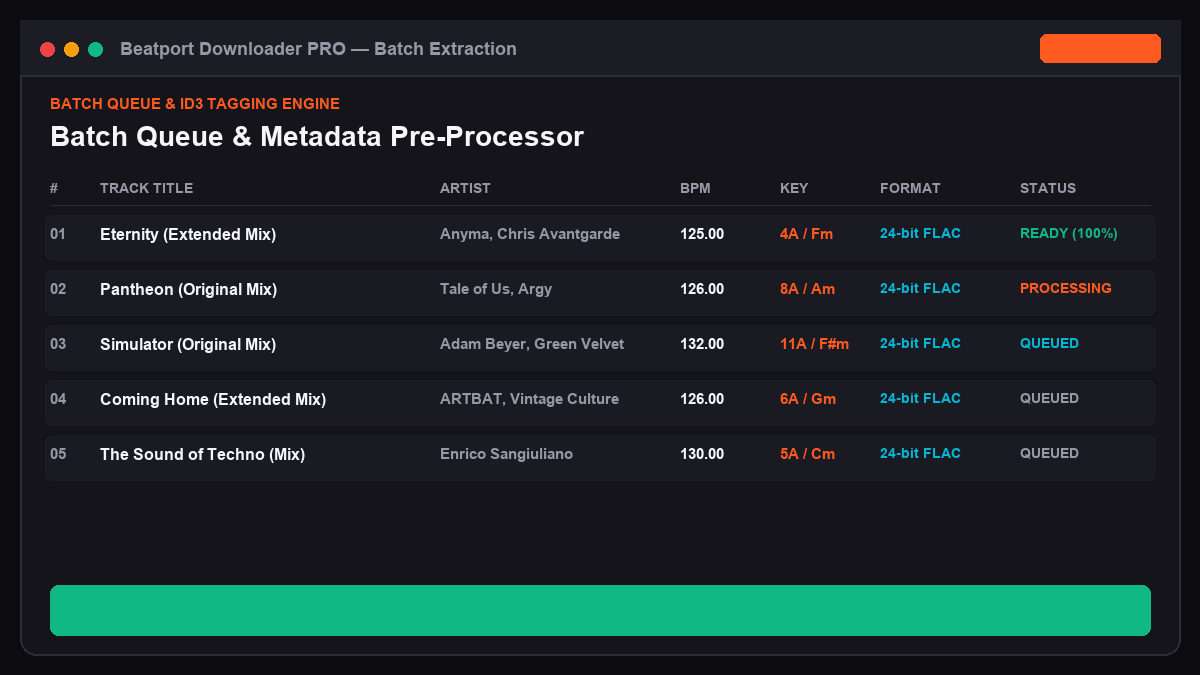
Using beatport-downloader.com eliminates manual data entry by extracting raw track and release data directly from official catalog databases and injecting complete metadata structures directly into the downloaded audio container.
+-------------------------------------------------------------------------+
|                  BEATPORT METADATA INGESTION PIPELINE                  |
+-------------------------------------------------------------------------+
|  Beatport API / Web Catalog Source                                      |
|  [Track ID / Release Data / Label / BPM / Official Musical Key]         |
+-------------------------------------------------------------------------+
                                    |
                                    v
+-------------------------------------------------------------------------+
|  beatport-downloader.com Tag Processing Engine                          |
|  - Frame TPE1 (Artist)          - Frame TALB (Release Album)            |
|  - Frame TIT2 (Title + Mix)     - Frame TCON (Genre Classification)     |
|  - Frame TBPM (Exact Tempo)     - Frame TKEY (Harmonic Camelot + Tonic) |
|  - Frame APIC (1400x1400 px RGB Cover Artwork)                          |
+-------------------------------------------------------------------------+
                                    |
                                    v
+-------------------------------------------------------------------------+
|  Standardized Lossless Audio (FLAC/AIFF) or 320kbps MP3 Container       |
|  [Ready for Instant Ingestion into Rekordbox, Serato, and Traktor]     |
+-------------------------------------------------------------------------+
Step-by-Step Batch Extraction:
1. Navigate to the track, release, or playlist page on Beatport and copy the URL from your browser address bar.
2. Open beatport-downloader.com and paste the link into the primary input field.
3. Select your desired output audio profile. For club performances, select Lossless FLAC (24-bit/44.1kHz) or 320kbps CBR MP3.
4. Enable the Camelot Key Translation toggle in the configuration settings. This maps standard musical notations directly into alphanumeric codes (for example: D Major converts to 10D / 2B).
5. Click Start Batch Download. The service packages the complete archive into a structured .zip folder containing clean filenames formatted as: Artist - Title (Mix Name) [Label] [BPM-Key].ext.
3. Configuring Pioneer Rekordbox for Camelot Key Recognition and Grid Accuracy
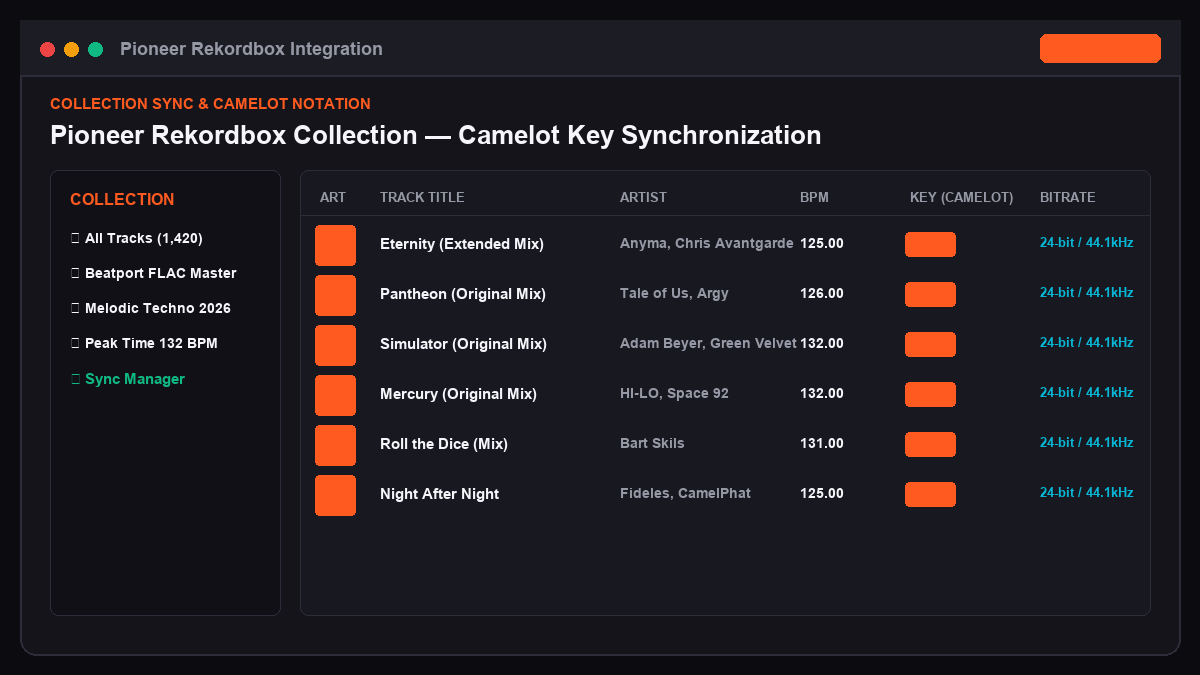
Once you unpack your batch download from beatport-downloader.com, configure Pioneer Rekordbox to read the embedded metadata without overwriting the verified tags with its own internal analysis engine.
Step 1: Adjust Analysis Settings
1. Open Rekordbox and navigate to Preferences (Gear Icon) -> Analysis -> Track Analysis.
2. Under Key, select Classic or Camelot notation depending on your preference. If you embedded Camelot keys during download, check the box labeled Do not overwrite existing Key tag upon analysis.
3. Under BPM / Grid, set the analysis mode to Normal (avoid "Dynamic" unless you are analyzing vintage disco or live-recorded funk with variable live drumming).
4. Set your BPM range window to match your genre (for example, 90 to 180 BPM for Drum & Bass, or 70 to 140 BPM for House and Techno).
Step 2: Import and Batch Verify
1. Drag the unzipped folder into your Rekordbox Collection tree.
2. Select all newly added tracks, right-click, and select Auto Analysis.
3. Because the TBPM and TKEY tags are already written to the file header, Rekordbox reads the exact downbeat and tonal center instantly.
Rekordbox Column Display Setup (Recommended for Touring Sets):
[Artwork] | [Track Title] | [Artist] | [BPM] | [Key (Camelot)] | [Bitrate] | [Genre] | [Label]
Step 3: Hot Cue and Memory Cue Staging
Set standard cue points across your new tracks:
- ✦Memory Cue A (Red): First kick drum transient (Bar 1.1).
- ✦Memory Cue B (Yellow): First bassline entry or breakdown start.
- ✦Hot Cue 1 (Green): Mix-in vocal or high-hat pattern.
- ✦Hot Cue 2 (Orange): Main drop / climax.
- ✦Hot Cue 3 (Purple): Outro mix-out transition point.
4. Serato DJ Pro and Native Instruments Traktor Pro Library Indexing
Different platforms process ID3 tags through distinct system libraries. Here is how to configure Serato and Traktor to read your newly downloaded files.
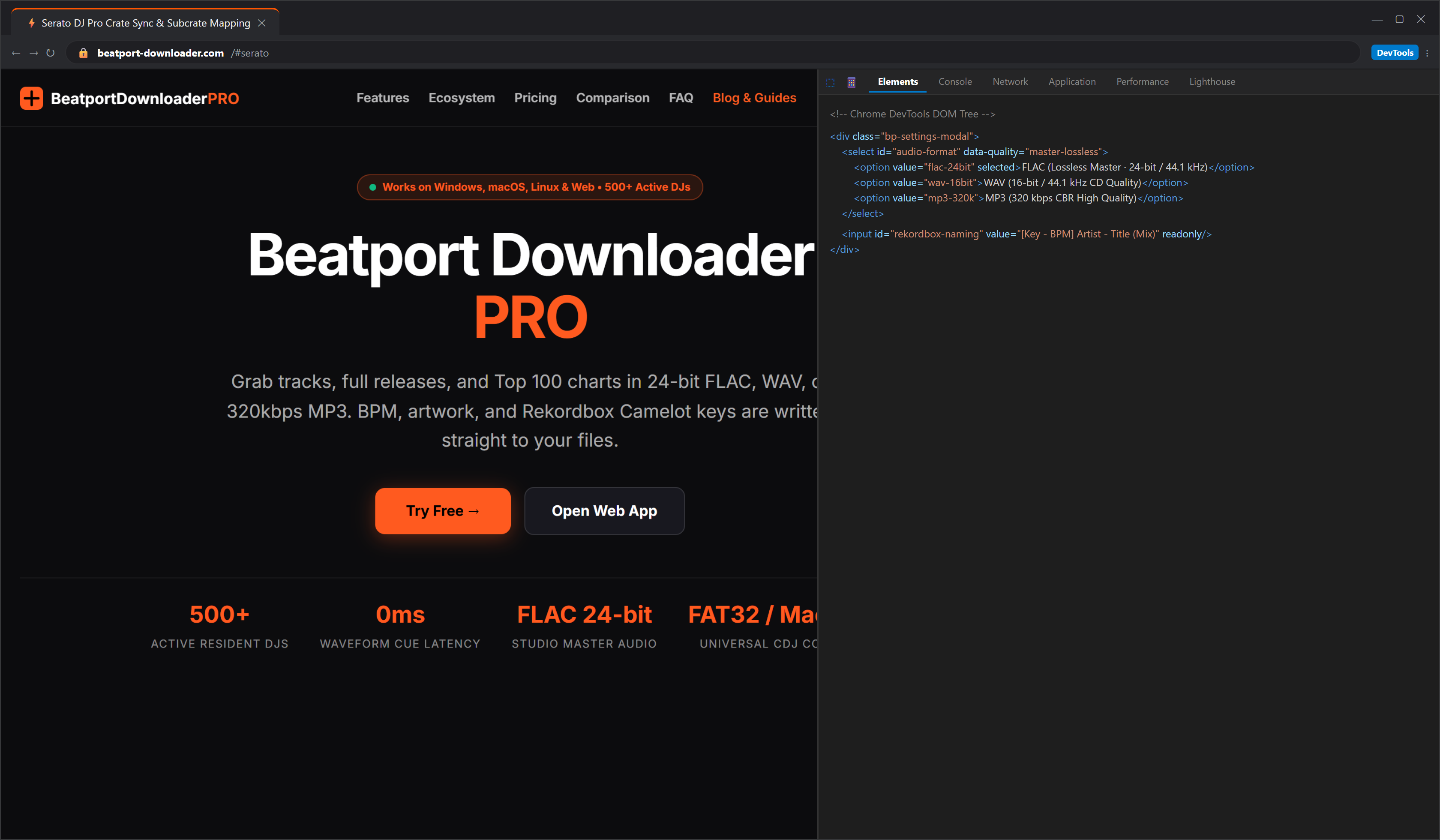
Serato DJ Pro Configuration:
1. Launch Serato DJ Pro and click the Files button to open the internal file browser.
2. Locate the folder processed via beatport-downloader.com and drag it directly into the Crates sidebar to create a dedicated crate.
3. Open the Setup menu -> Library + Display.
4. Check Show Key as Camelot. Serato automatically reads the TKEY frame populated during the download stage.
5. In the main library view, click the Rescan ID3 Tags button at the bottom of the Files panel to force Serato to update any previously cached file entries.
Native Instruments Traktor Pro 3 / 4 Configuration:
1. Open Traktor Preferences -> File Management.
2. Under File Directory, ensure Import Music-Folders at Startup is configured if you store downloads in a centralized root directory.
3. Navigate to Analyze Options. Check Key and select Display Key as Camelot.
4. Right-click your newly imported folder in the Traktor browser tree and select Check Consistency. This step verifies file paths and checks for audio header corruption.
5. Manual Tagging vs. Automated Ingestion Comparison
The following table compares the operational workflow between manual track preparation and automated processing through beatport-downloader.com.
| Technical Metric | Manual Tagging Workflow (Mp3tag/Kid3) | Automated Sync ([beatport-downloader.com](https://beatport-downloader.com)) |
|---|---|---|
| **Ingestion Speed (50 Tracks)** | 45 to 60 Minutes | Under 60 Seconds |
| **Artwork Standard** | Variable sizes, non-standardized color space | Uniform 1400x1400 px RGB (CDJ optimized) |
| **Key Notation Format** | Mixed (Musical Tonic vs. Alphanumeric) | Native Camelot (e.g., 8A, 11B) in `TKEY` |
| **ID3 Frame Standard** | Prone to ID3v1 / ID3v2.4 mixing errors | Strict ID3v2.3 (Universal CDJ/Pioneer support) |
| **File Renaming Structure** | Manual regex scripting required | Automatic: `Artist - Title (Mix) [Label]` |
| **BPM Tag Reliability** | Dependent on local software estimation | Exact original studio master metadata |
6. Frequently Asked Questions
Will Camelot keys added to ID3 tags transfer across different DJ software platforms?
Yes. The Camelot code is written directly to the standard TKEY ID3 text identification frame. When you import the audio file into Rekordbox, Serato DJ Pro, Traktor Pro, or Engine DJ, each system reads that exact text string from the file header rather than forcing a recalculation.
Why do some CDJ units show missing album art despite it showing on my laptop?
Pioneer CDJ hardware decoders only support baseline JPEG artwork with dimensions up to 1400x1400 pixels in standard RGB color space. Progressive JPEG encoding, CMYK print profiles, or loose PNG attachments fail to render on older hardware like the CDJ-2000NXS. Downloading tracks through beatport-downloader.com ensures every embedded image complies with Pioneer media processor requirements.
Should I use ID3v2.3 or ID3v2.4 for my DJ library?
Always use ID3v2.3 for DJ applications. While ID3v2.4 offers UTF-8 text encoding improvements, older firmware on standalone CDJs and club media players cannot parse ID3v2.4 unsynchronization schemes, leading to stripped metadata or unreadable tracks.
PRO DJ TIP: After downloading your batch files, lock the Rekordbox analysis
by selecting all tracks, right-clicking, and choosing "Analysis Lock".
This prevents accidental re-analysis from overwriting your custom cues
and validated keys during emergency library rescans.