
If you have ever spent a frantic Thursday night preparing a four-hour peak-time club set or packing USB drives for a festival weekend, you already know the universal nightmare of digital crate digging: the manual download bottleneck.
Buying twenty individual releases or a massive 150-track playlist usually means enduring single-file download queues, unzipping nested archives, manually retagging missing artwork, fixing truncated artist names, and calculating key notations before Rekordbox or Engine OS even parses your library. When club sound systems demand uncompromised dynamic range, running low on preparation time often forces DJs into messy compromises.
In this comprehensive workflow masterclass, we explore how to streamline your preparation phase using an enterprise-grade batch beatport downloader, ensuring studio-master lossless FLAC Beatport export and club-standard 320kbps MP3 delivery with zero metadata loss.
01 The Pro DJ Dilemma: Audio Fidelity vs. Library Prep Time
Professional dancefloors demand pristine acoustics. Whether you are driving a Funktion-One rig in Berlin, a Void Acoustics setup in Ibiza, or an L-Acoustics arena line array, the difference between a compressed, re-encoded audio file and an authentic uncompressed master is immediately felt across sub-bass weight and high-end stereo imaging.
Why Lossless FLAC & True 320kbps CBR Matter in the Booth
-
✦
Dynamic Headroom & Low-End Punch: 24-bit FLAC preserves complete audio dynamics, giving club limiters and DSP processors maximum headroom without introducing inter-sample clipping or muddy low-frequency phasing.
-
✦
CDJ-3000 & Standalone Media Player Compatibility: Modern club hardware (Pioneer CDJ-3000, Opus-Quad, Denon SC6000) natively supports 24-bit FLAC with instantaneous waveform rendering, eliminating legacy storage limitations.
-
✦
Pristine Archival: Storing your core collection in lossless FLAC ensures that future library transcodings never suffer generational loss.
The Problem With Traditional Manual Downloads
-
✕
Archive Extraction Headaches: Standard web stores bundle track orders into fragmented
.zipfolders requiring endless manual unzipping and sorting. -
✕
Inconsistent & Stripped ID3 Tags: Bare file downloads often lack standardized Camelot key formatting, label data, or release dates.
-
✕
Low-Resolution / Missing Artwork: Pixelated 300x300 album covers look amateurish on high-resolution CDJ screens and iPad DJ layouts.
-
✕
No Direct Streaming Playlist Conversion: Transitioning Spotify, Apple Music, or SoundCloud reference playlists into locally owned files previously took hours of tedious track-by-track searching.
02 The Solution: Modern Batch Pipeline with Beatport Downloader PRO
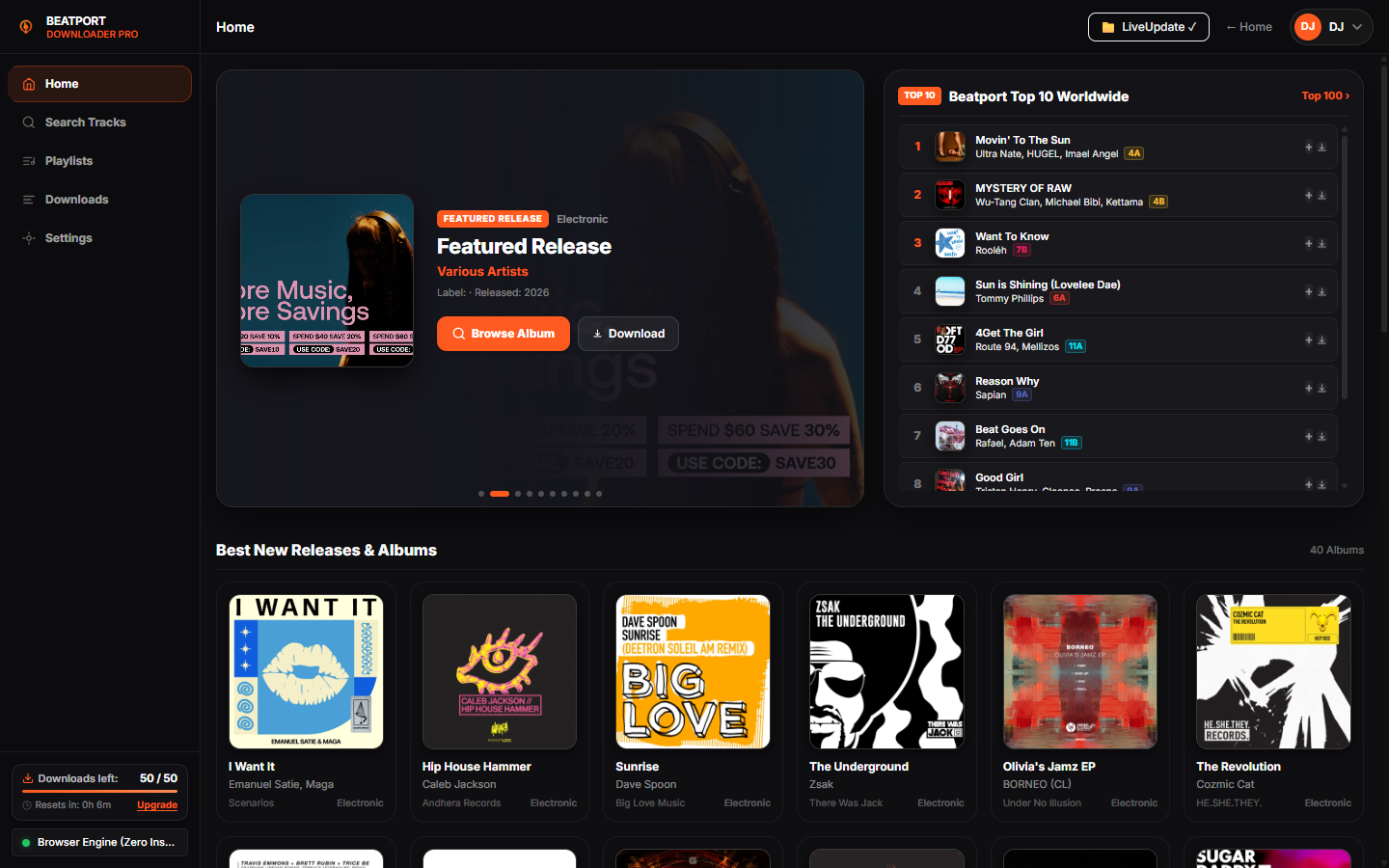
To eliminate library friction, touring DJs have moved toward automated batch ingestion pipelines. Utilizing beatport-downloader.com (or its official mirror bp-dler.online) provides a unified cloud engine that resolves release catalogs, top charts, and custom playlists directly into studio-grade offline libraries.
Downloads entire playlists (up to 2,500 tracks) across 10 parallel worker streams, saturating your bandwidth without timeouts.
Translates musical keys (e.g. A Minor → 8A) directly into ID3 headers for instantaneous harmonic mixing.
Injects crisp, uncompressed high-definition artwork directly into audio containers for stunning CDJ touchscreen rendering.
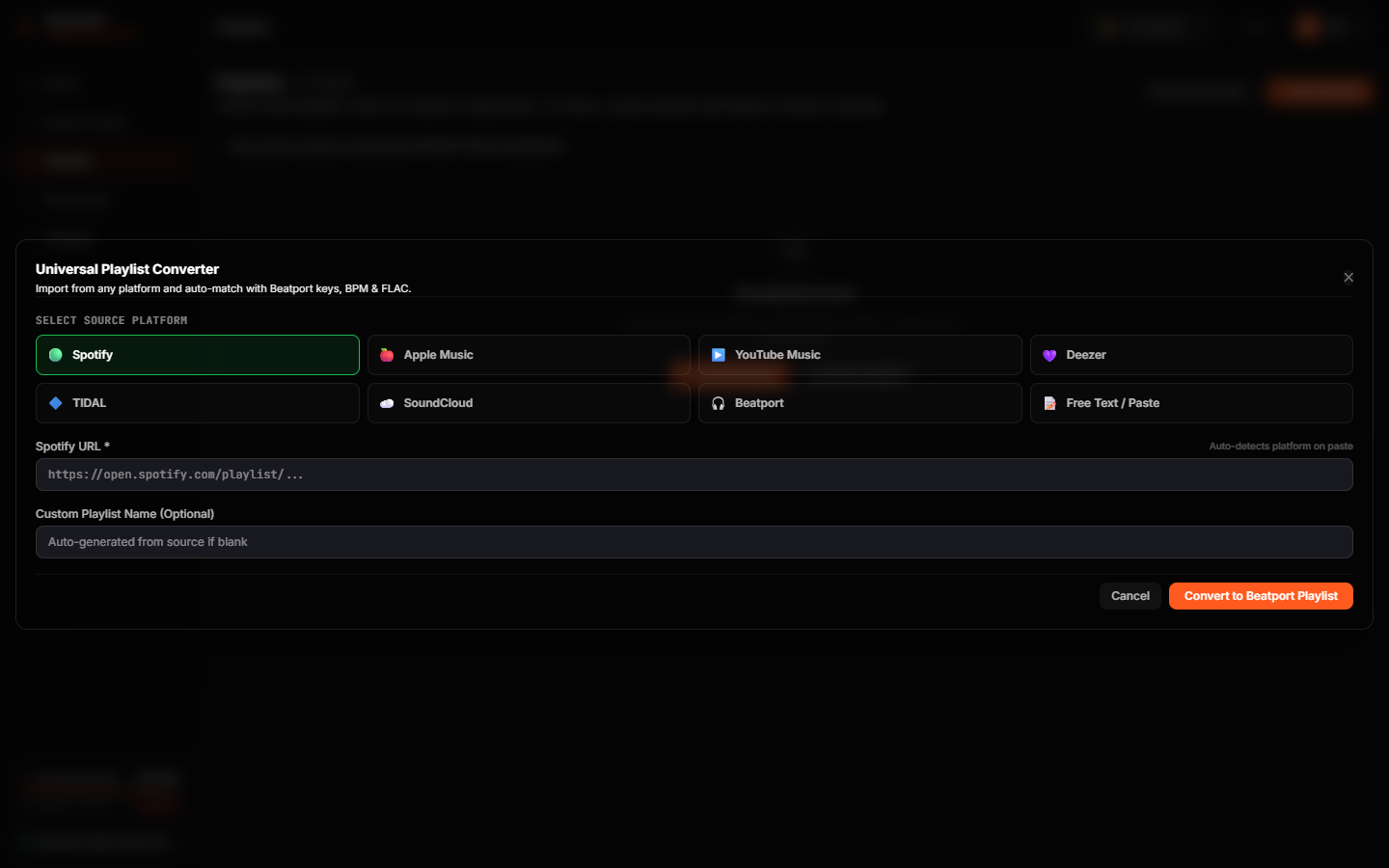
Instant resolution from Spotify, Apple Music, Deezer, SoundCloud, or pasted text tracklists with parallel Beatport catalog matching.
03 Step-by-Step Walkthrough: From Streaming Link to Booth-Ready USB
Input Your Playlist, Chart, or Tracklist
Navigate to beatport-downloader.com/app (or bp-dler.online/app). Paste any Beatport Release, Top 100 Chart, or streaming playlist link (Spotify, Apple Music, Deezer, SoundCloud, TIDAL). The engine automatically parses the entire track list.
Configure Output Quality & Metadata Preferences
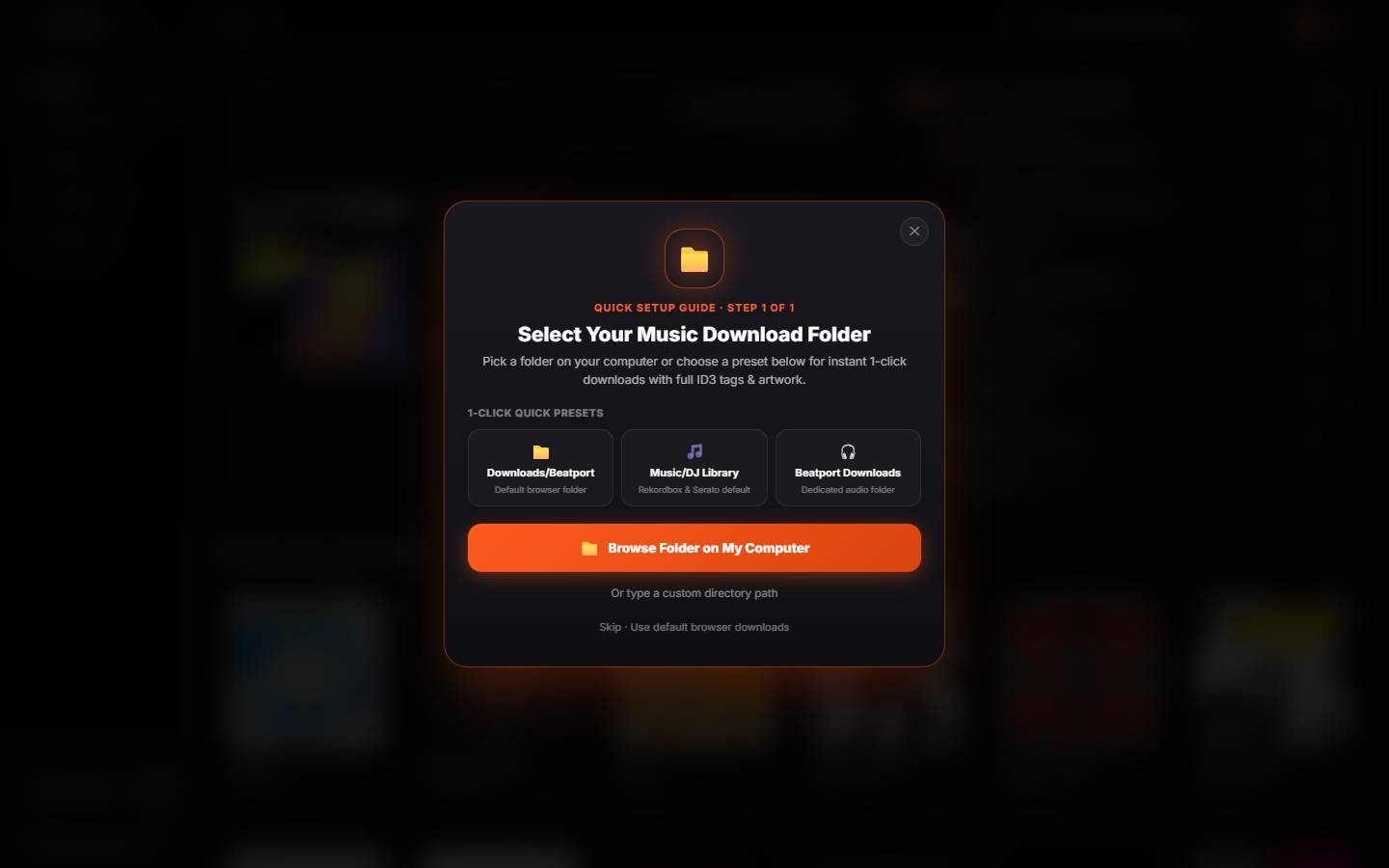
Select your preferred format: 24-bit Lossless FLAC for master setups or 320kbps MP3 for backup USB keys. Enable automatic 1400x1400 HD Artwork embedding and Camelot key notation injection.
Trigger Multi-Thread Batch Download
Hit Start Batch Download. The worker pool distributes the queue across high-speed parallel connections, embedding ID3v2.4 frames with exact BPMs, record labels, and key notations simultaneously.
Sync Directly With Pioneer Rekordbox & USB Drive
Drag the downloaded folder straight into Pioneer Rekordbox, Serato DJ Pro, or Engine DJ. All BPMs, artwork, and Camelot keys load instantly without requiring manual re-analysis.
04 Feature Comparison: Manual Digging vs. Beatport Downloader PRO
| Workflow Feature | Standard Browser Purchase | Generic Rippers | Beatport Downloader PRO |
|---|---|---|---|
| Batch Speed | 1 file at a time (.zip) | 1x real-time recording | 10x Parallel Multi-Threaded |
| Audio Quality | Standard lossless | Lossy 128k transcode | Authentic 24-Bit FLAC & 320k MP3 |
| Max Capacity | Manual single orders | Capped at 50–100 tracks | Unlimited (2,500+ tracks/batch) |
| Camelot Key Sync | ✕ None | ✕ None | ✅ Auto-Injected ID3v2.4 |
| Artwork Resolution | 300x300 or missing | ✕ None | ✅ 1400x1400 Retina HD |
| Universal Importer | Beatport only | ✕ Unreliable | ✅ Spotify / Apple / Deezer / Text |